The ability to capture smooth, cinematic shots has long been a hallmark of professional filmmaking. The stability creates most of the visual storytelling, from the sweeping landscape pans to the dynamic action sequences. But keeping a stationary frame while moving the camera—especially without professional rigs—can be a pretty tough task. That is what a gimbal is for.
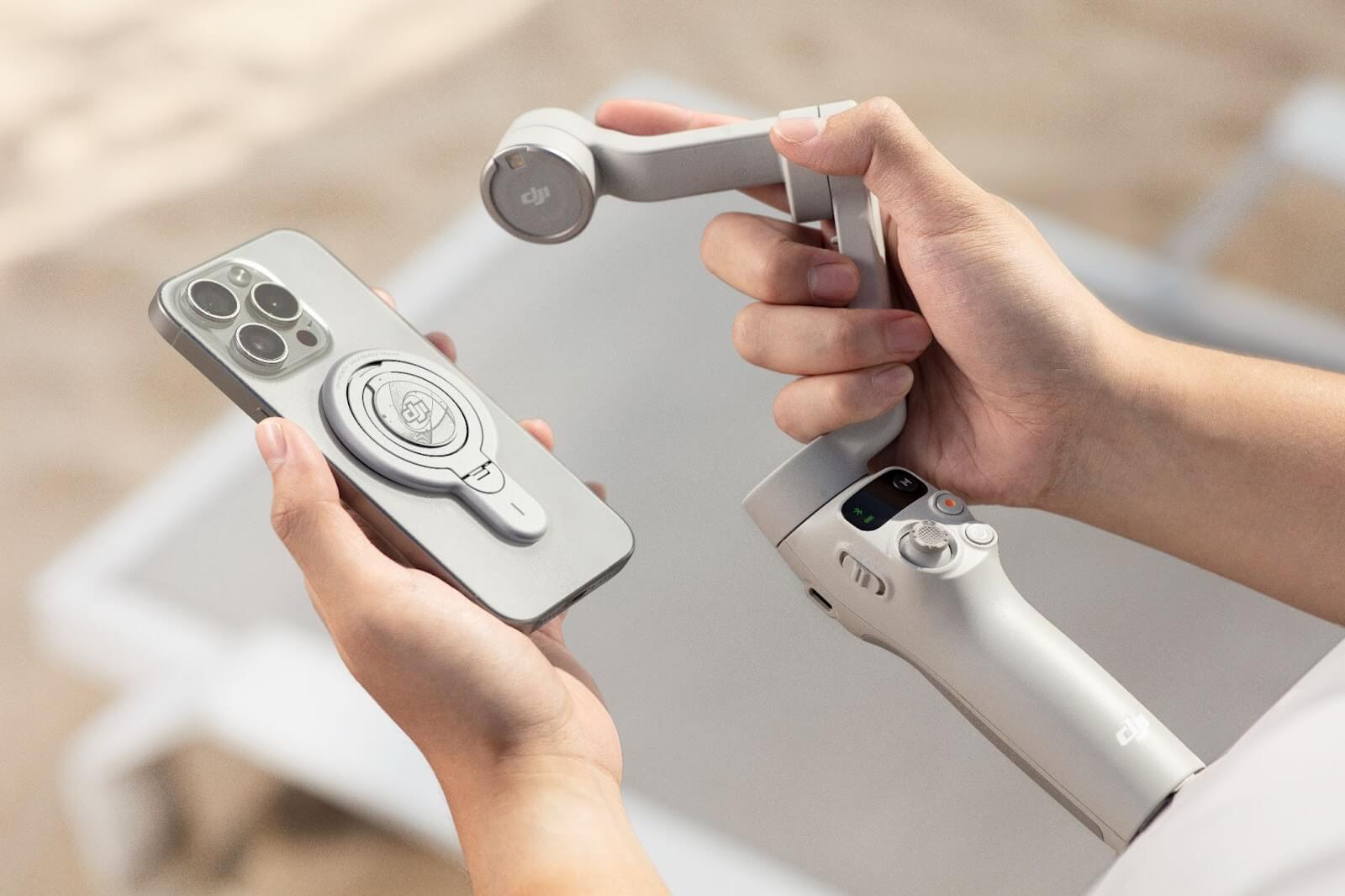
A gimbal may seem like a simple accessory at first glance; however, it adds an entire dimension of artistic freedom and control for filmmakers, creators, and even everyday users. No matter what type of camera you are shooting with — DSLR, mirrorless, or even a smartphone — incorporating a camera gimbal can elevate your shooting experience and results.
So, in this article, let’s look at how a gimbal can up your production value and why you should invest in one of these essential pieces of kit in your videography arsenal.
What is a Gimbal and How Does it Work?
A gimbal is a pivoted support system that permits the rotation of an object about a single axis. A camera gimbal is a handheld, or mountable, device used for stabilizing your camera on three axes: pitch, yaw, and roll for video shooting; and it works using motors and sensors (in short).
While a standard video stabiliser uses counterweights or springs, a gimbal incorporates elements of electronic stabilization that can predict movement and subvert the motion by rotating the camera in the opposite direction. Even if you're walking, running, or navigating rocky terrain, your camera can capture footage that appears relatively smooth and composed.
Using a Gimbal for Filmmaking – Why Do You Need It?
A gimbal camera is a way to achieve butter-smooth visuals, which can help cancel out some of the minor movements. This provides simple solutions for capturing cinematic moves, such as tracking shots or orbiting your subject, without the need for intricate rigs.
Creative Freedom with Movement
One reason is that filmmakers often avoid handheld shots due to their overall instability. Using a gimbal, you may feel more comfortable moving the camera through tight spaces, navigating around things, or tracking quick-moving subjects. This freedom could allow storytellers to experiment with perspective, pacing, and transitions that may feel too risky to pull off handheld.
Compact and Portable Design
Today, gimbal technology has advanced for different camera sizes. The portable nature of gimbals means that creators can film just about anywhere, whether you’re using a smartphone gimbal or a full-sized unit for DSLRs. Its time-saving qualities can be especially useful for travel vloggers, documentarians, or indie filmmakers with small crews and limited equipment.
Increased Shot Efficiency
Each time a shot needs a second or third take because the images are not stable enough, there is a loss of time and energy. In terms of efficiency on set, a camera gimbal can reduce the number of retakes necessary, leading to consistent results. It enables the creators to pay less attention to technical fixes and more to storytelling.
Smartphone Gimbals: Filmmaking Anywhere
This technology works not only for professional cameras, but also for. The introduction of smartphone gimbals also provides a more portable option for hobbyists and social media content creators alike, as smartphones rapidly improve in their ability to capture video content.
Even occasional users of a gimbal camera will notice their mobile footage goes from casual to cinematic. Be it travel diaries, short films, or reels, a stabilizer can provide that visual punch without the budget for an expensive rig
Gimbal Features That May Enhance Your Filmmaking Workflow
Modern gimbals come equipped with several advanced features that might improve your shooting experience and creative potential:
- Object Tracking:
Automatically follows a subject within the frame, allowing for dynamic shots without needing a second operator.
- Motion Time-Lapse & Hyper-Lapse:
Enables creative transitions and time-based storytelling with smooth motion, directly from the gimbal.
- Customizable Controls:
Adjust follow speed, joystick sensitivity, and video stabiliser modes to suit different filming styles or environments.
- Auto Calibration:
Ensures balanced and accurate movement, reducing setup time and maintaining consistency during long shoots.
- Wireless App Integration:
Most smartphone gimbals offer mobile app control, providing remote access to settings, preview options, and even gesture commands.
- Pre-Programmed Shooting Modes:
Some gimbals feature pan follow, lock mode, and vortex mode to assist with specific camera movements and effects.
These features not only support better video stabiliser but may also help creators execute complex shots more easily, making the gimbal a versatile tool in any filmmaker’s kit.
Final Thoughts: Is a Gimbal Even Necessary?
In the hands of a skilled creator, a gimbal becomes a powerful tool for visual storytelling. It is not a substitute for good lighting, good composition, or good editing practices, but it will probably supplement the stability and motion control required to produce professional-quality video.
If shooting passion projects, branded content, or travel videos, a camera gimbal or smartphone gimbal may help in finding creative avenues that required too much planning before. This can be a useful and accessible tool for creators seeking smoother, more cinematic shots without the need for bulky equipment.
If you’re looking for reliable options, DJI offers gimbal that are thoughtfully designed for both cameras and smartphones. They're precision, build, and thoughtful features are geared towards video professionals and enthusiasts alike. This link from DJI has the gimbal you need for your filming.
FAQs
Q1: Can you use a gimbal with all cameras?
Gimbals can be used with DSLRs, mirrorless models, action cams, and even smartphones. Note, though, you do need to ensure the weight limit and the mounting system on the specific gimbal before using.
Q2: Do you need a gimbal instead of a tripod or monopod?
Not entirely. Gimbals stabilize when moving, and tripods and monopods are more for stationary framing and long-exposure shots. Both are great to use; the difference between the two may only help diversify the tactics of your shooting.
Q3: Is a gimbal difficult to operate for beginners?
These days, there are a lot of gimbals out there equipped with very intuitive controls and beginner-friendly modes. It is relatively simple to use for most users with a little initial configuration and practice. There are even smartphone apps that help with some calibration and shooting tips.
Q4: I have a gimbal, do I still need the stabilization in post-production?
Footage shot on a gimbal typically needs very little post-stabilisation in most cases. Nevertheless, minor changes in post-production can still help refine the visual quality, if necessar